
Дата публікації:
15.05.2024
Tender Subscription Settings
To receive new procurements in a timely manner, set up a free subscription. On our platform, you can set up a subscription for both regular procurements and procurements in the Prozorro Market electronic catalog. We will discuss both options below.
Subscription to Procurements
1. Go to the “Procurement Subscription” section in your personal account.
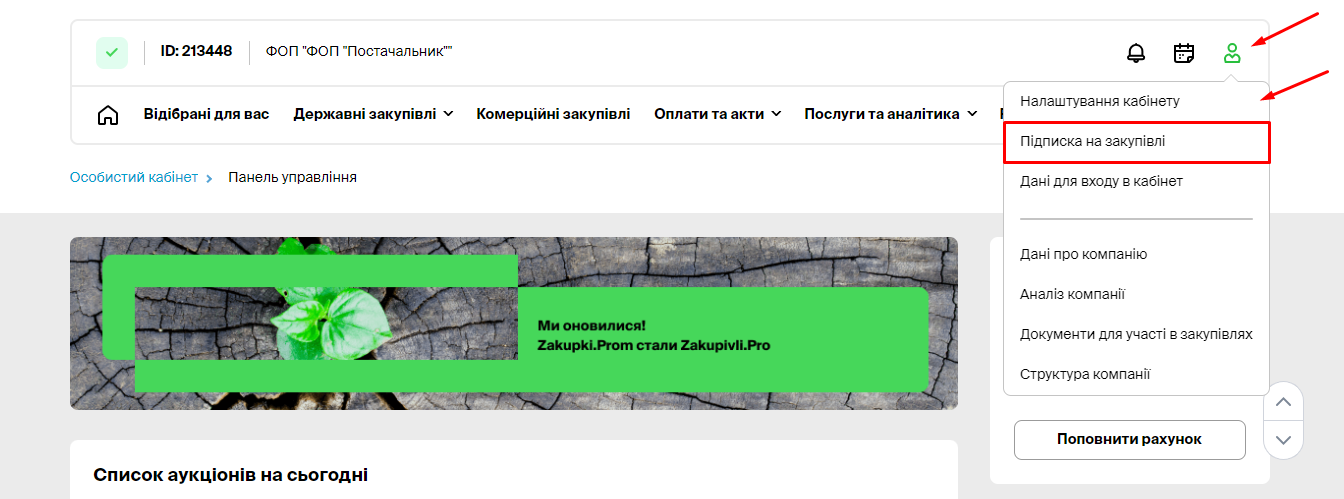
The subscription settings for procurements are located in the relevant section.
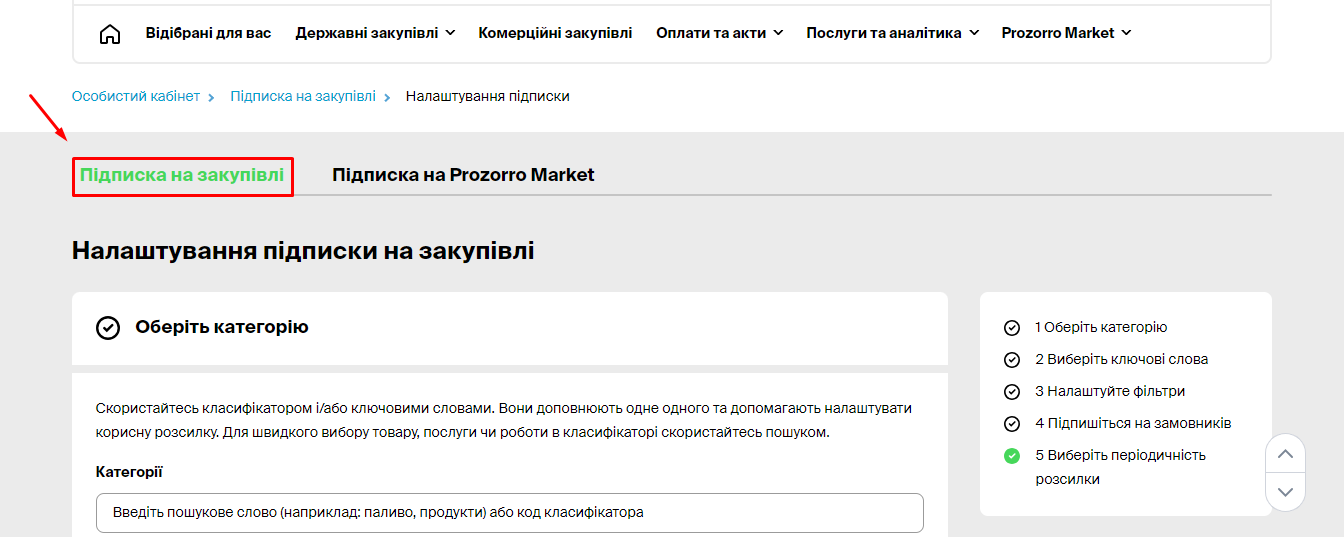
2. Select a Category

CPV – This is the European Procurement Vocabulary, containing categories of goods, works, and services. The category selected in the subscription matches the category for which the procurement is open.
The classifier includes categories of goods (codes 0300 to 4400), works (4500), and services (4800 and above).
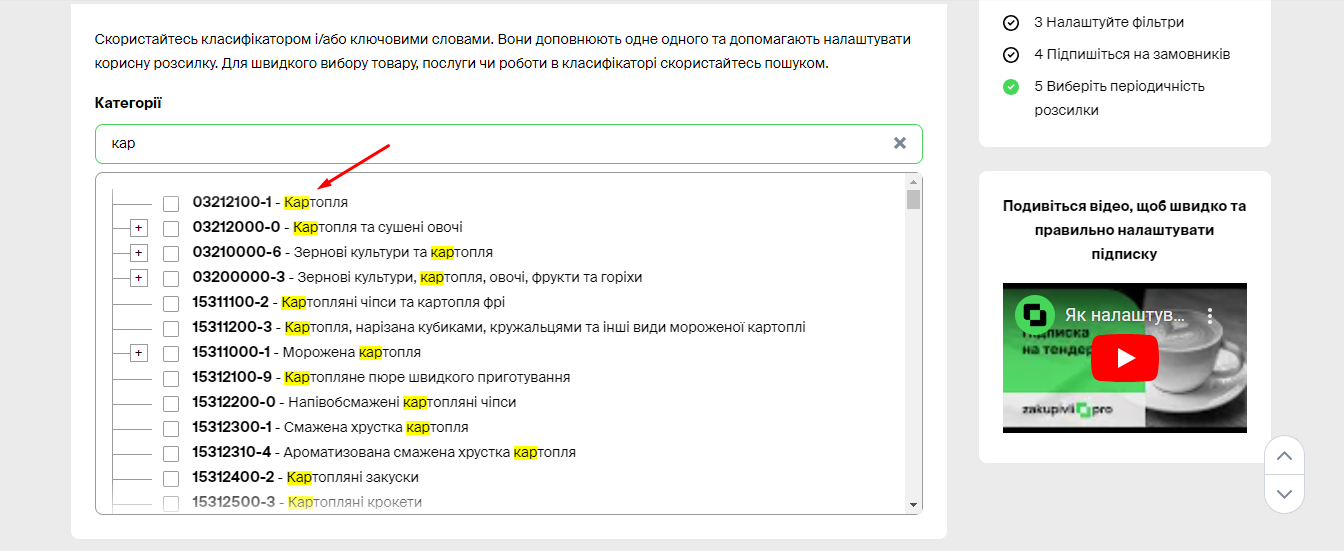
Each category consists of subcategories, which can be viewed by clicking the (+) button. Categories expand as long as there is a (+) button. You can expand each category down to the item level.
For quick selection of the required category, use the search function. Enter 3 characters of the code or name, and the system will suggest category and item options.
Tips:
- If you select the main category, e.g., Coal and coal-based fuel, you will receive notifications for its subcategories: coal, anthracite, briquetted coal, etc.
- Choose a top-level category if you supply most goods in that category. If you specialize exclusively in one item, such as Anthracite, it’s better to select this item rather than the Fuel category.
To delete a selected category, click “Reset” or the cross next to its name.
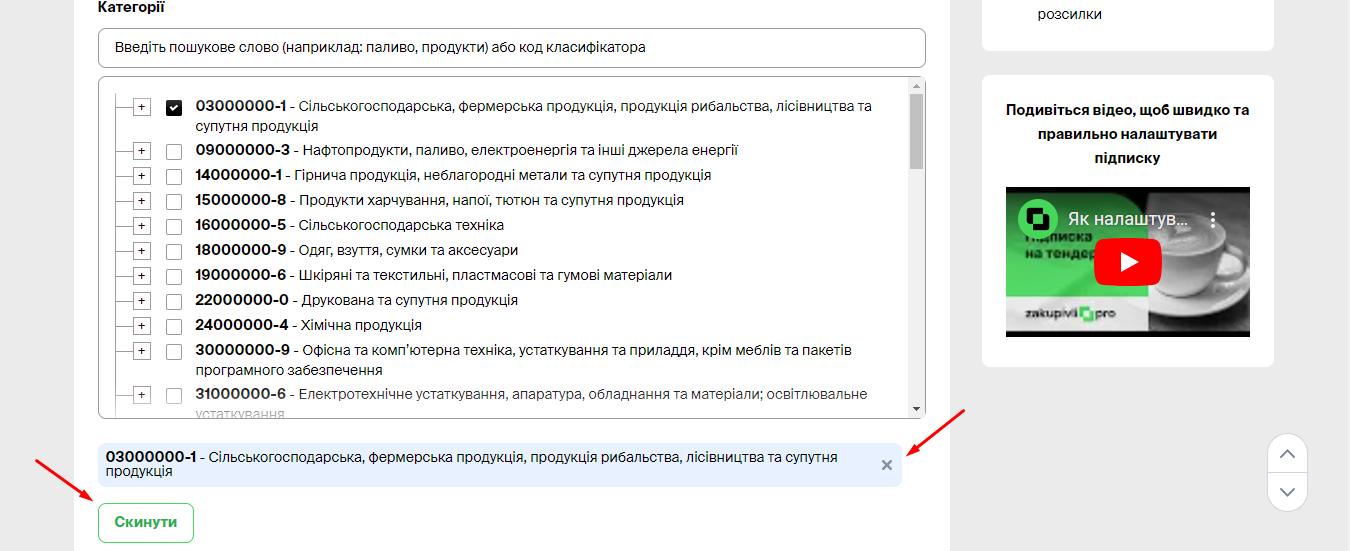
3. Select Keywords
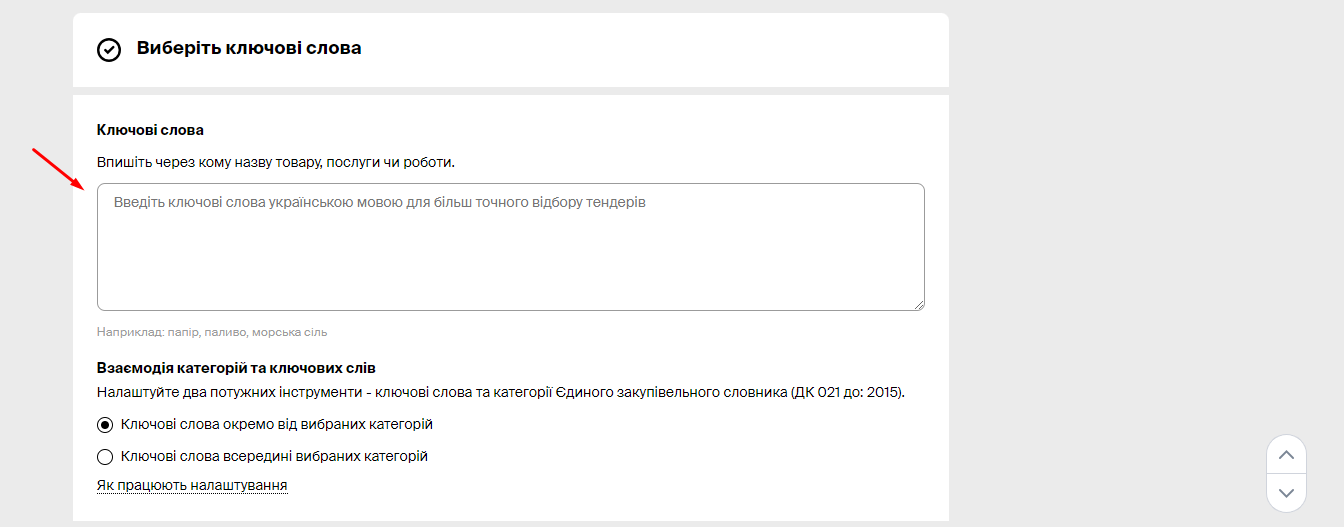
If you did not find the necessary category in the classifier or want to add individual items to the subscription, enter the keywords separated by commas in this line. Keywords complement the classifier.
Interaction of Categories and Keywords:

You can refine your subscription more precisely with selected keywords. For example, if you choose the keyword “Painting” and the category “Construction works and current repairs”:
If you choose “Keywords separate from selected categories,” you will receive:
- All procurements containing the word “Painting” from any category.
- All procurements in the “Construction works and current repairs” category, even if they do not include the word “Painting.”
If you choose “Keywords within selected categories,” you will receive only those procurements in the “Construction works and current repairs” category that include the word “Painting.”
Select Exclusion Words:
Enter keywords to exclude from the subscription. Be careful with exclusions. If a procurement that suits you in all parameters contains even one exclusion, you will not receive a notification about it.

4. Set Filters
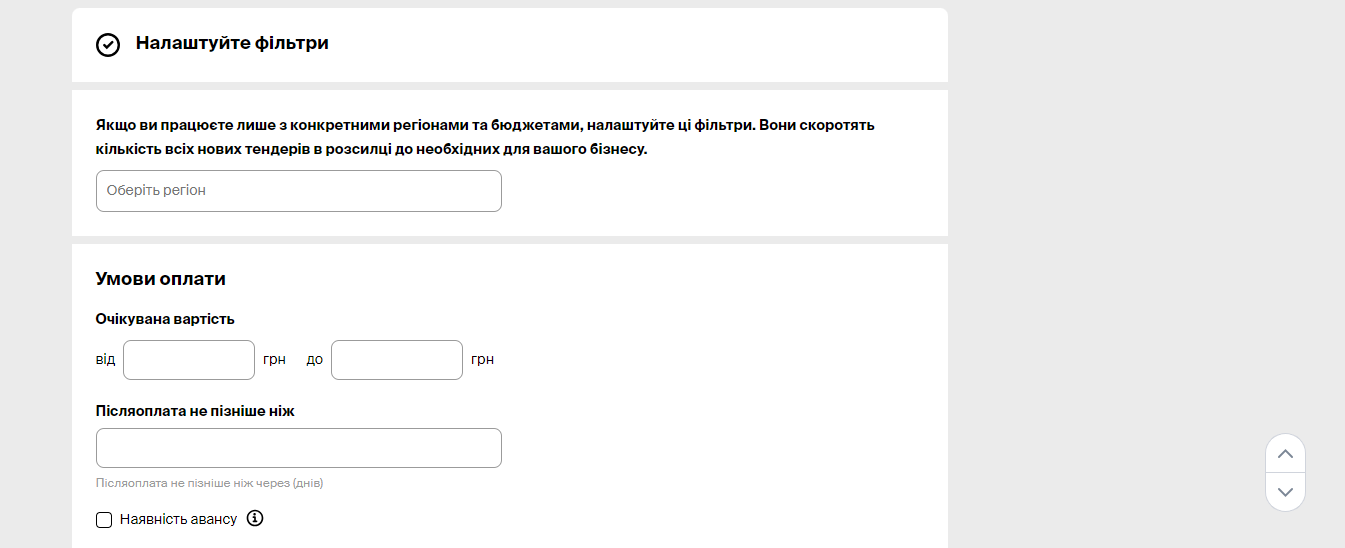
Deliver goods exclusively to specific regions? Set a region filter. By default, the region filter selects procurements from customers registered in the selected regions. If you want to receive procurements with delivery to the selected regions, check the corresponding box.
If you are interested in procurements of specific values only, enter them in the appropriate filter.

5. Subscribe to Customers
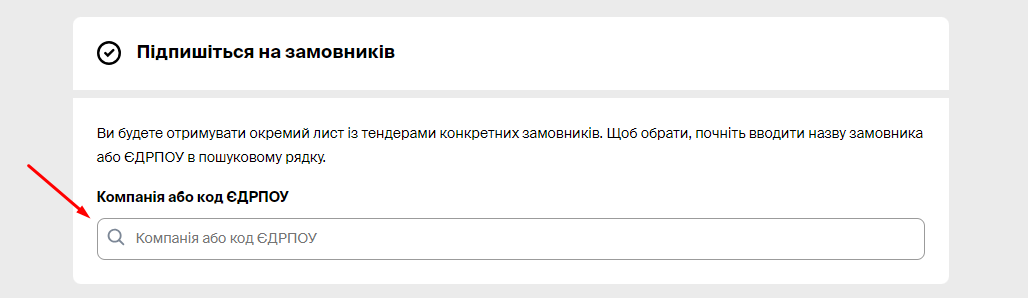
Set up a subscription to one or more customers to receive all their procurements in a separate email.
To find the necessary customer, start typing their name or EDRPOU code. Enter 3 characters and the platform will suggest options.
To remove a customer from the mailing list, click the cross next to their name.
Note that you will receive a separate mailing for Customers and all their categories.

Зверніть увагу, ви будете отримувати окрему розсилку по Замовникам та всім їх категоріям.
6. Select Mailing Frequency
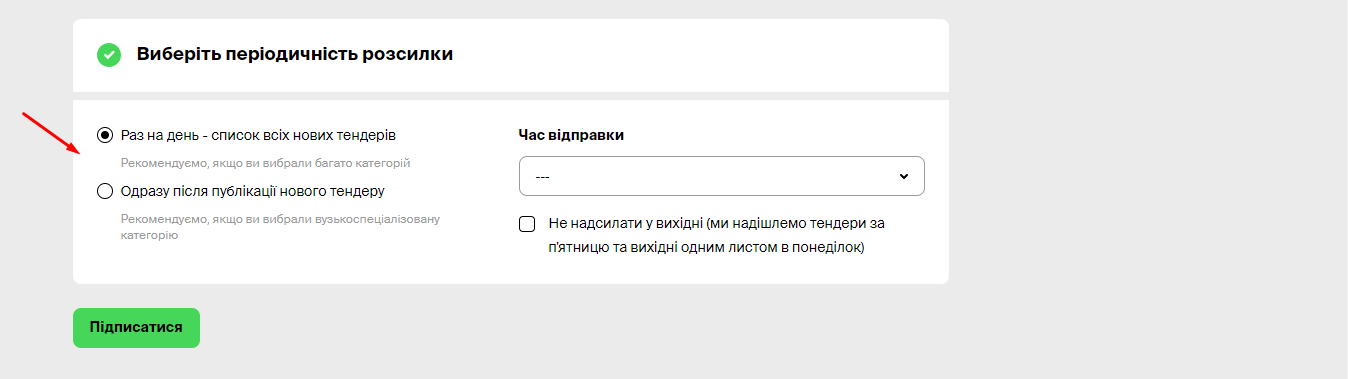
If you have selected many top-level categories and do not want to receive too many emails, set the mailing frequency to once a day. You will receive one email with a list of procurements by category once a day.
If you have selected narrow specialized categories or items, set the mailing frequency to immediately after the publication of a new tender. This way, you will know about new tenders right away.
Important: Be sure to click the “Subscribe” button after completing the settings; otherwise, they will not be saved, and you will not receive notifications about new procurements.
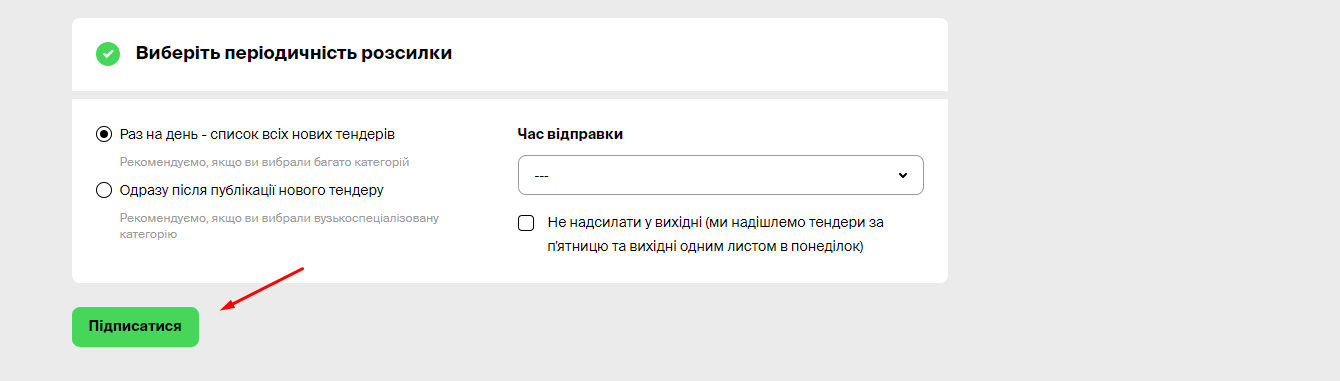
If necessary, you can always return to the subscription settings and make the necessary changes.
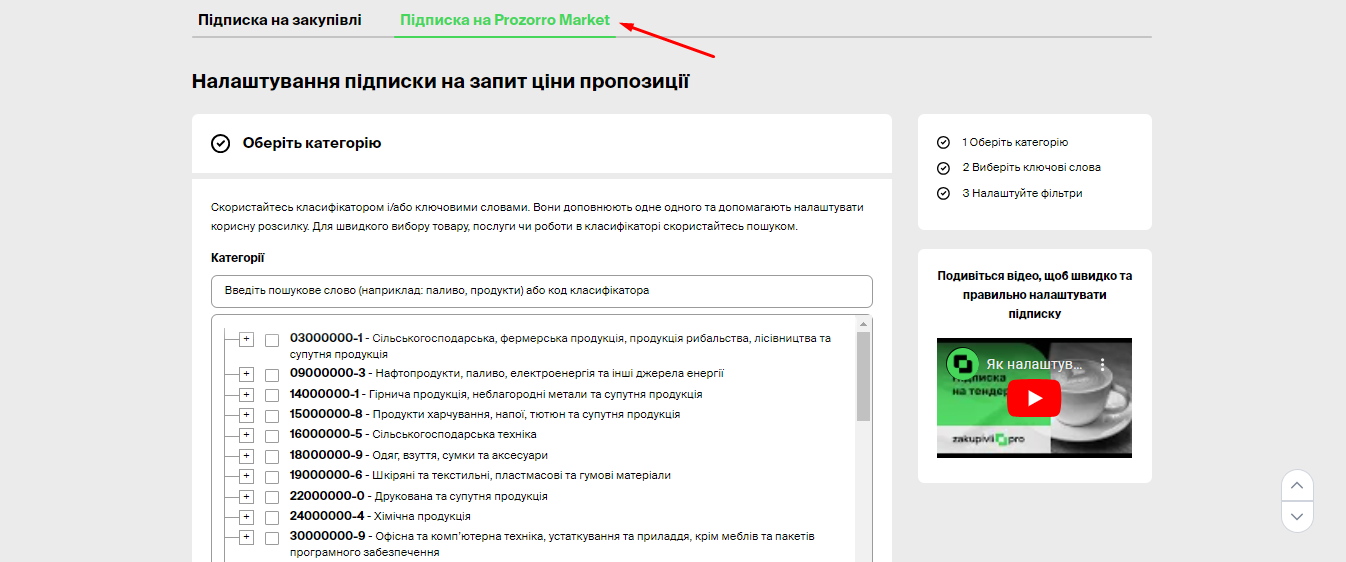
Subscription to Prozorro Market
In addition to subscribing to regular procurements (tenders), you can also set up a subscription to Request for Proposal in the Prozorro Market electronic catalog.
If you are qualified in Prozorro Market, this will expand the total number of potential procurements you can bid on.
If you are not yet qualified in Prozorro Market, you can still subscribe to RFPs. This allows you to monitor the market, make certain conclusions, and make decisions.
Subscription to Prozorro Market is set up in the corresponding section.
The principle of setting up a subscription to RFPs is generally similar to regular procurements.
Subscription to RFPs works such that an email is sent upon the publication of an RFP (a list once a day cannot be chosen).
We wish you successful participation in procurements on the Zakupivli.Pro platform!


Коментарі (0)