
Дата публікації:
15.05.2024
Open Bidding with Special Features
Open bidding with special features is a type of procedure that can be announced by public customers according to CMU Resolution No. 1178 dated 12.10.2022. Its features, as opposed to regular open bidding, include:
- Shorter possible timeframes for the process
- One participant is enough for the procurement to take place
- An auction may be absent
- The appeal period for results is 5 days instead of 10
- The possibility to submit a proposal that exceeds the procurement budget (provided the customer specifies a limit percentage in the Documentation)
To submit a proposal, follow these steps:
Step 1 – Filter Procurements
1. Go to the supplier’s personal account on the Zakupivli.Pro platform.
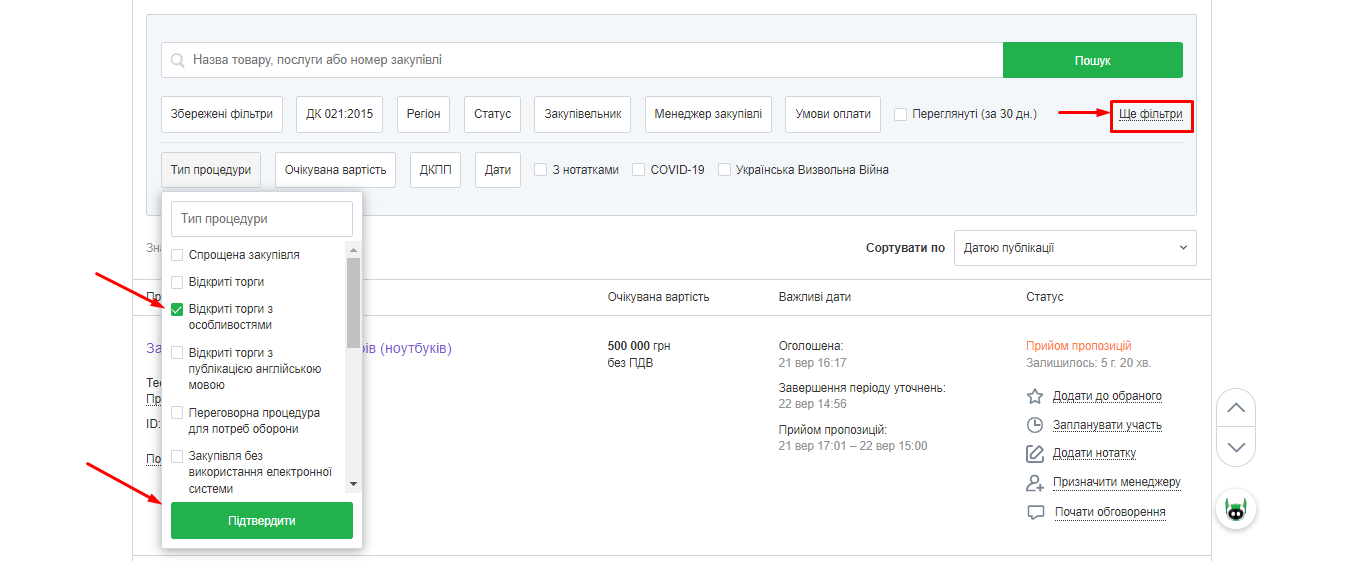
In the Public Procurements section – All Procurements, click More Filters, then select Open Bidding with Special Features in the procedure type and click Confirm.
In the “Status” filter, select “Proposal Submission” and click Confirm.
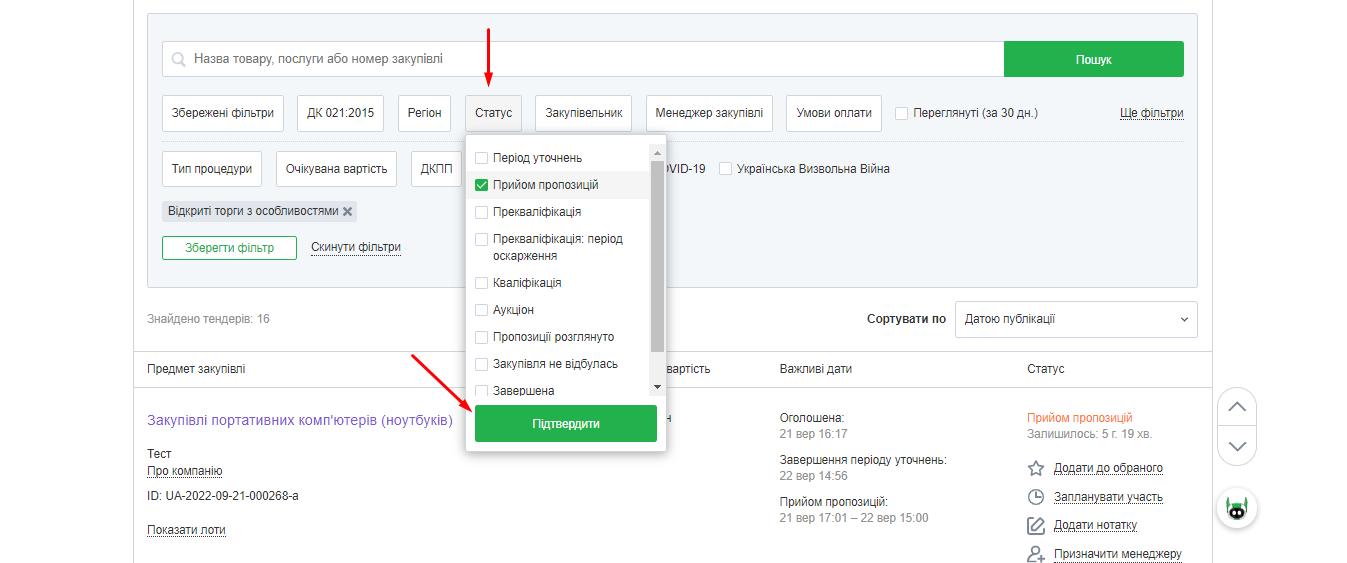
After this, you will see a list of procurements under the “Open Bidding with Special Features” procedure that are accepting proposals. You can also use other filters to find tenders that precisely match your requirements, such as region, payment terms, expected cost, etc.
Step 2 – Select an Interesting Tender
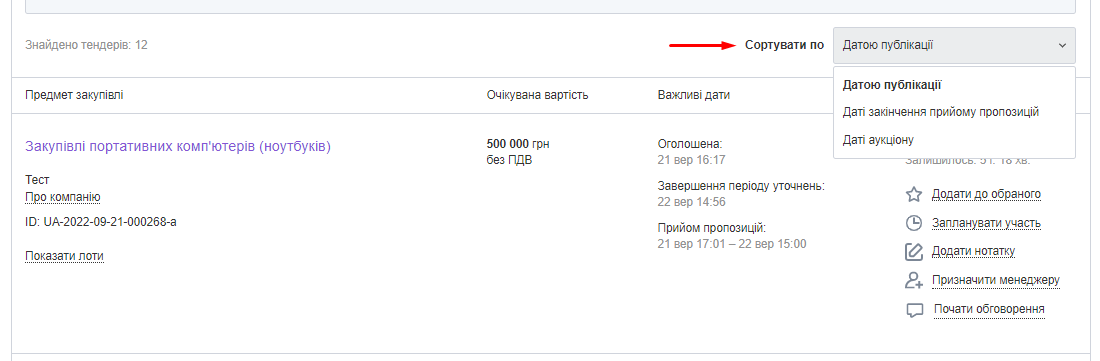
Choose an interesting tender from the list and go to its page to familiarize yourself with the participation details. You can sort the results by publication date, proposal submission deadline, or auction date.
If you find several potentially interesting procurements, you can click “Add to Favorites” or “Plan to Participate” next to the relevant procurement to not lose them.
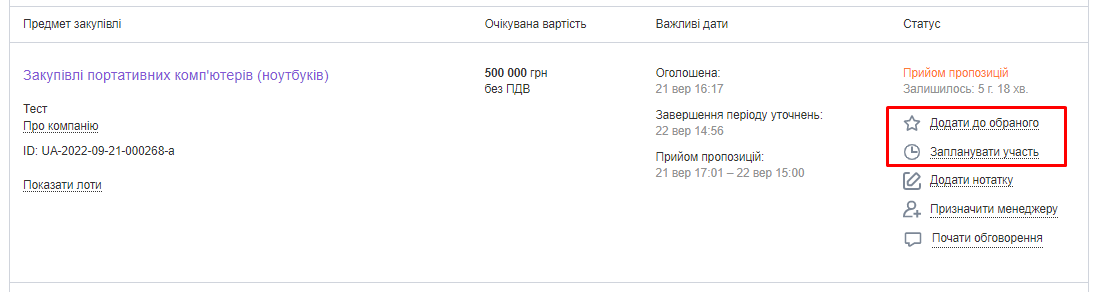
This tender will then be saved in the corresponding section.

Step 3 – Carefully Study the Tender Participation Conditions
Before preparing and submitting your tender proposal, thoroughly review the information on the procurement page, paying particular attention to:
- Whether you have enough time before the proposal submission deadline to prepare and submit documents
- Whether you can deliver the goods within the specified period and to the specified region
- Whether your goods (work, services) meet all the requirements specified in the procurement documents
- Whether the payment terms are acceptable for you
- Whether the customer requires a bank guarantee
If you have legal questions, you can order a free legal consultation.
Step 4 – Submit the Tender Proposal
4.1 Click “Submit Proposal.” 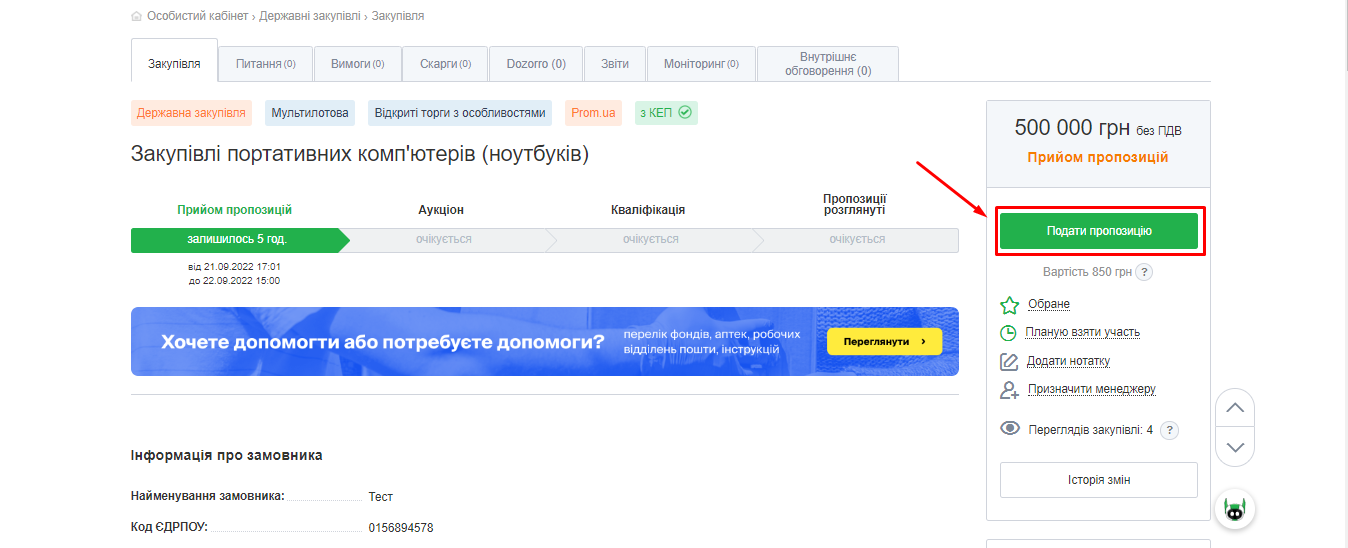
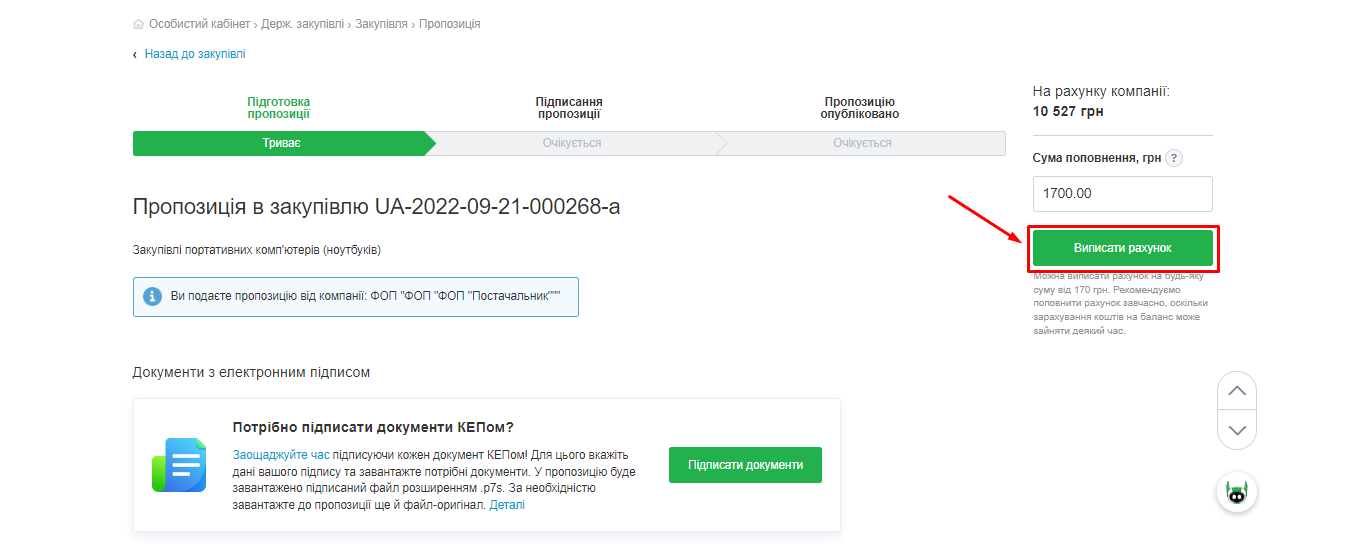
If your personal account balance is insufficient to submit the proposal, click “Issue Invoice” and pay it.
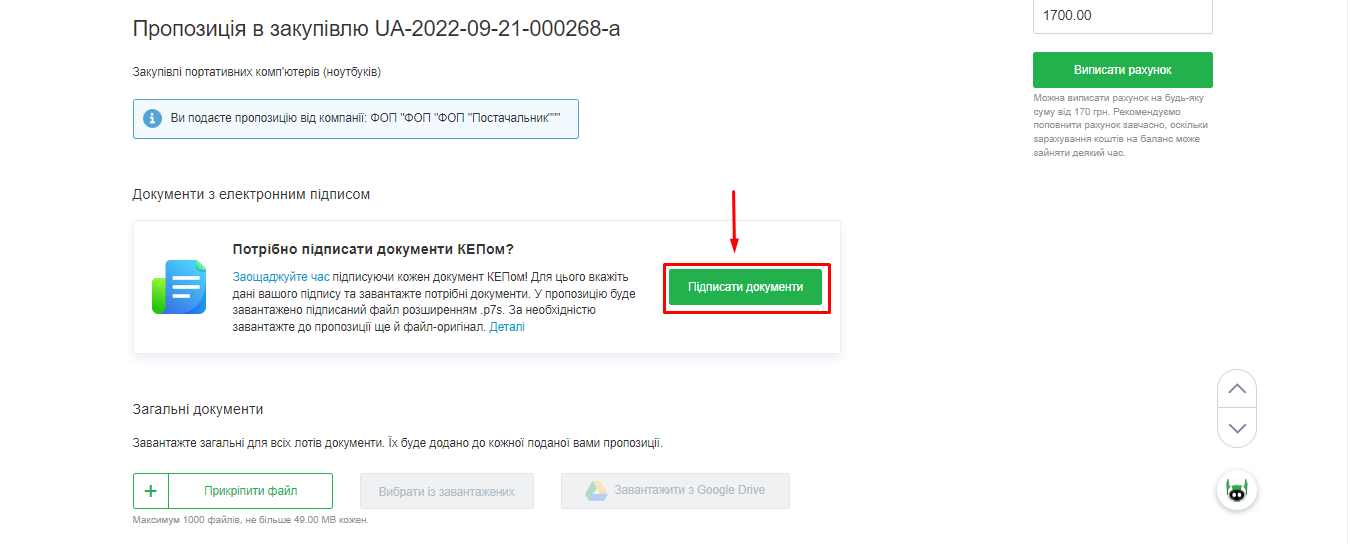
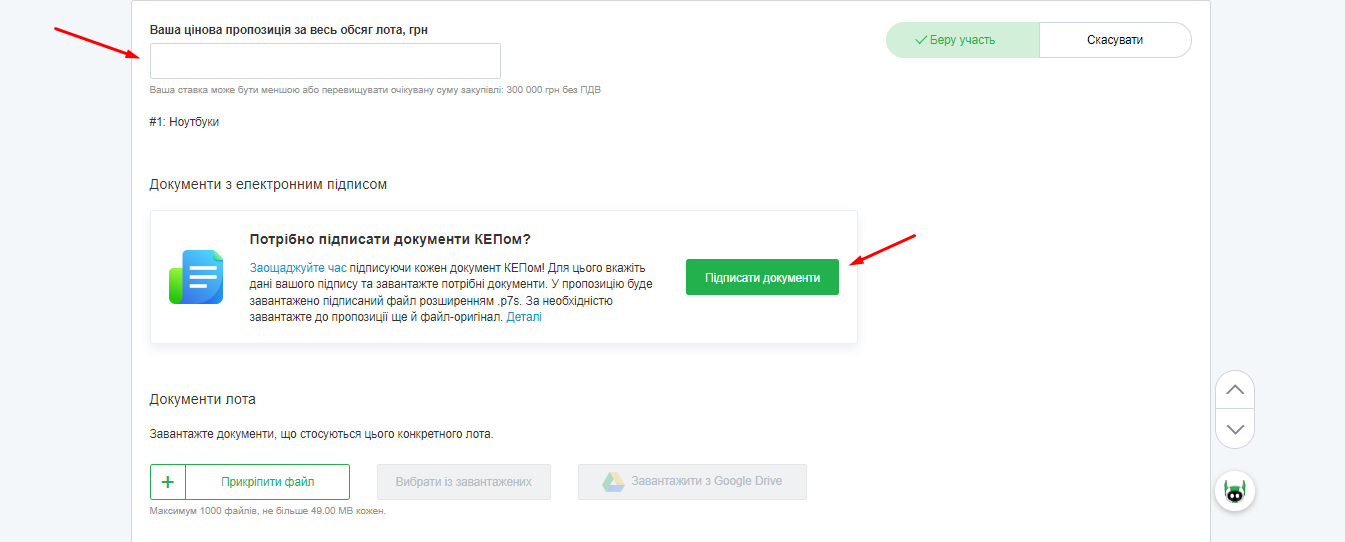
4.2 Add documents with an electronic signature by clicking “Sign Documents” and attaching the files. For more details, see this instruction.
You can also protect the documents you upload by adding a watermark.

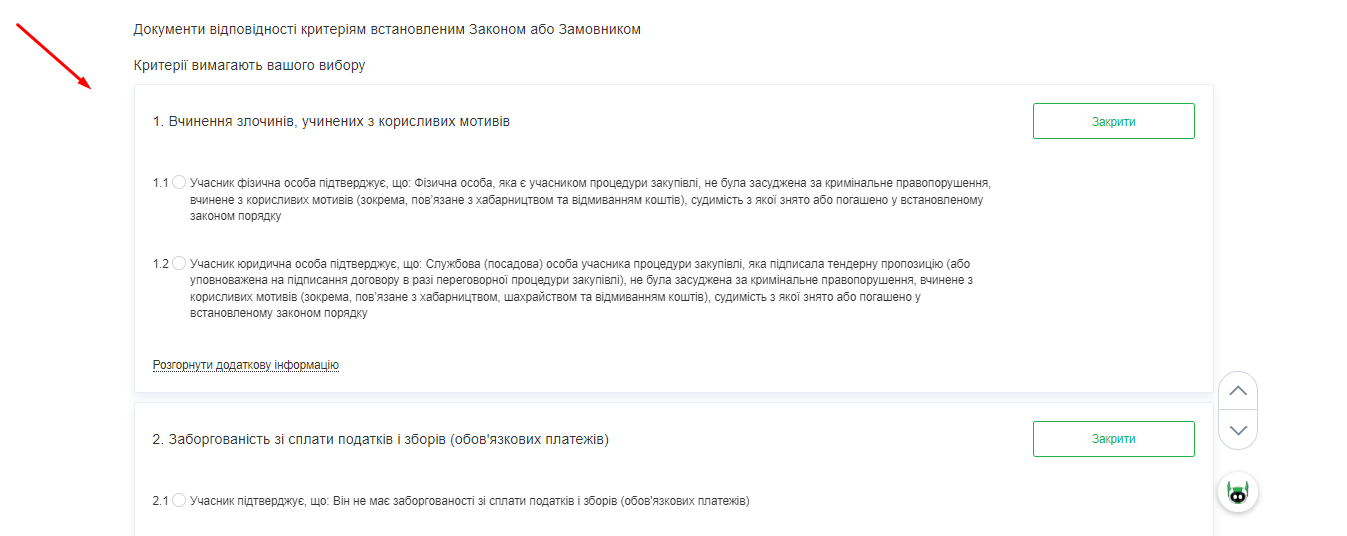
4.3 Fill in the “Documents Complying with Criteria Set by Law or Customer” section.
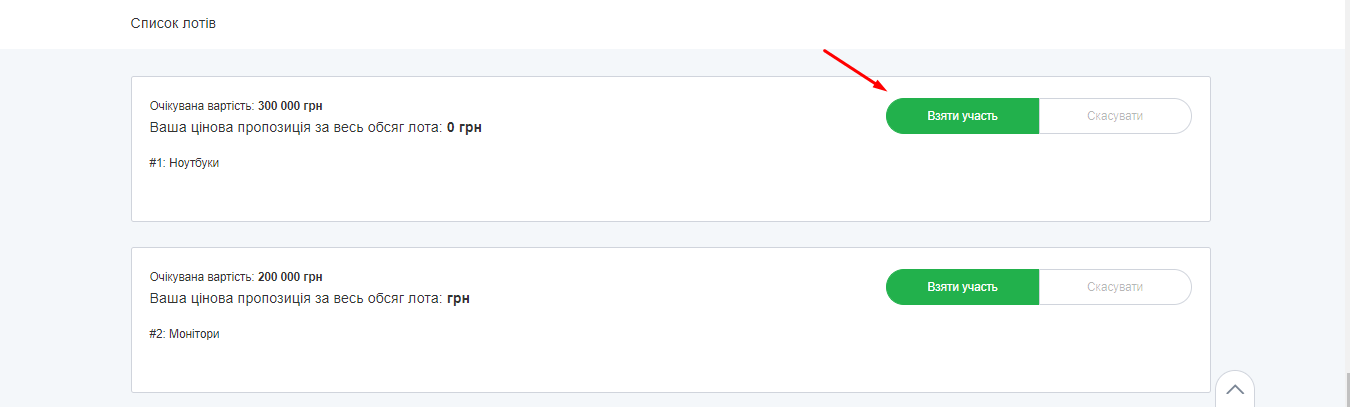
4.4 Select the lot for participation. In “Open Bidding with Special Features,” the customer may publish one or several lots. You can submit a proposal for a specific lot(s) or all listed lots. Click “Participate.”
4.5 Enter your price proposal and add documents. Note that your bid can be less than or exceed the procurement amount.
👉 Note that as of 03.01.2023, the auction stage in open bidding with special features is temporarily canceled due to unequal access to trades caused by unstable power supply across Ukraine. The winner will be determined by the price indicated when submitting the proposal. This means:
- You must indicate the lowest price you can offer when submitting the proposal
- It is better to submit your proposal in advance, as if two suppliers submit proposals with the same price, the one submitted earlier will qualify first
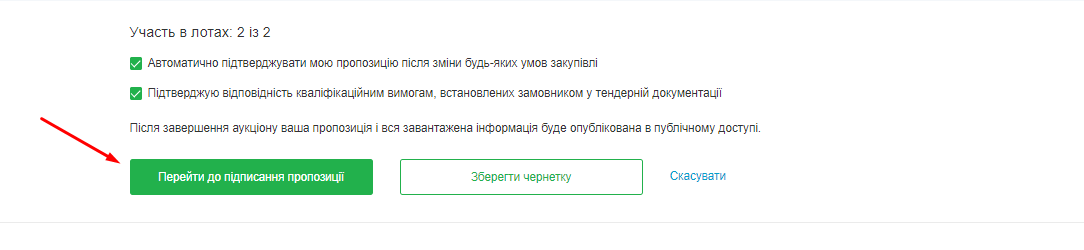
4.6 Check the agreement marks and click “Proceed to Proposal Signing.”
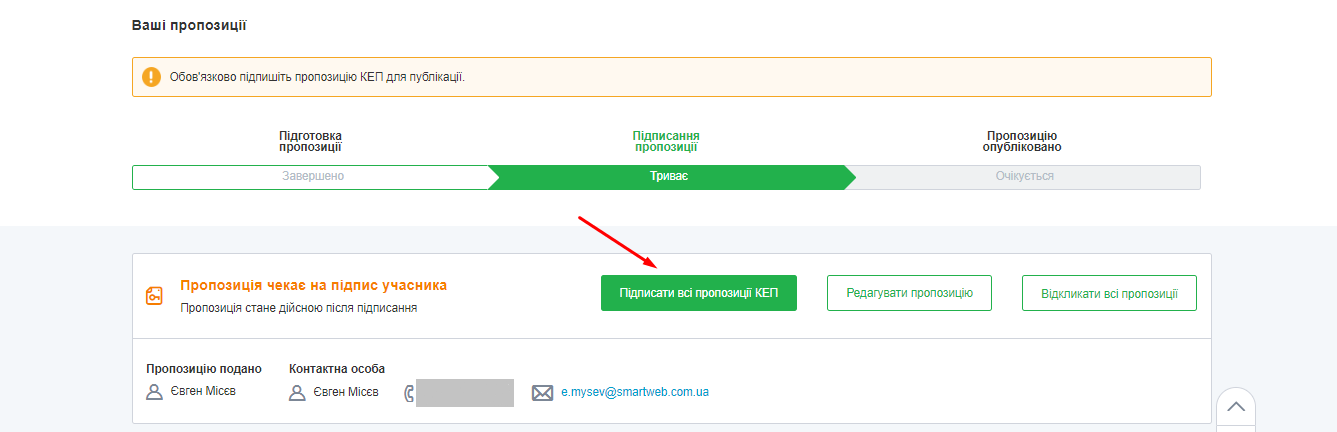
4.7 Click “Sign All Proposals with QES.”
Until the proposal submission deadline, you can change or withdraw your proposal by clicking the corresponding button at the bottom of the page where your proposal is located.
Note that if you have signed the proposal with QES and then made changes to it, the signature needs to be applied again.
4.8 After submitting your proposal, it is advisable to verify that the proposal has been correctly submitted to the procurement.
That’s it. We wish you successful participation in tenders!


