
Дата публікації:
21.02.2026
How to participate in a two-stage procurement
Two-stage procurement is a type of commercial tender on the Zakupivli.pro platform, the peculiarity of which is that it has a pre-qualification stage.
In two-stage procurement, the moment of proposal opening is considered the moment of pre-qualification start, but it depends on the level of access to the procurement.
So, let’s look at how to submit a proposal in a two-stage tender.
1. Select the tender to which you plan to submit a proposal. Click on its name to go to the tender page with all the necessary information.
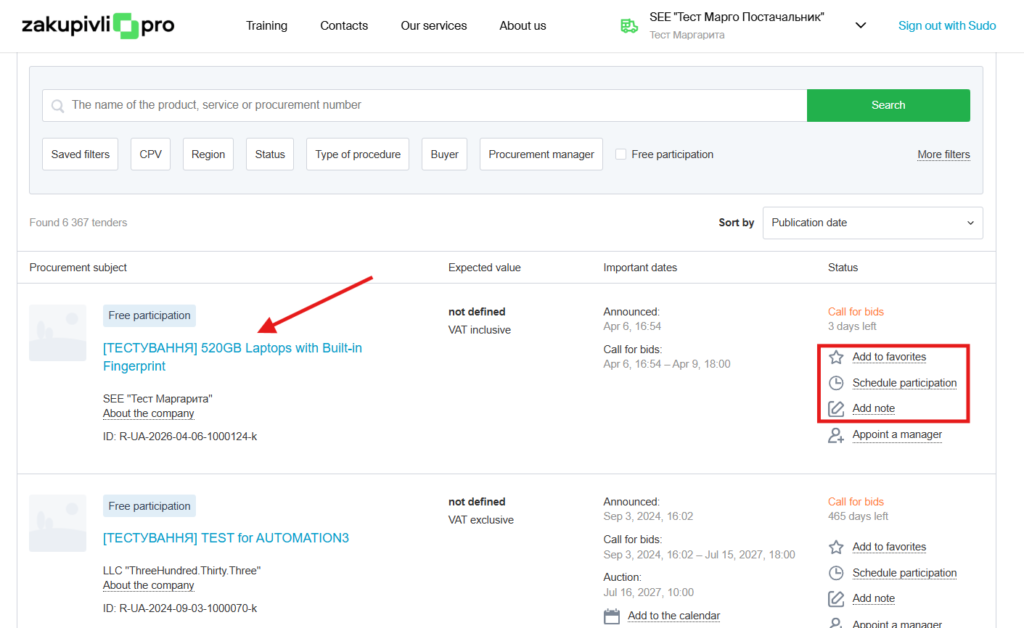
To quickly find the necessary tender next time, add it to your favorites. If you plan to participate later, click “Schedule participation” Need to plan actions regarding the procurement? In that case, use “Add note.”
2. On the tender page, familiarize yourself with all the information and tender documentation.
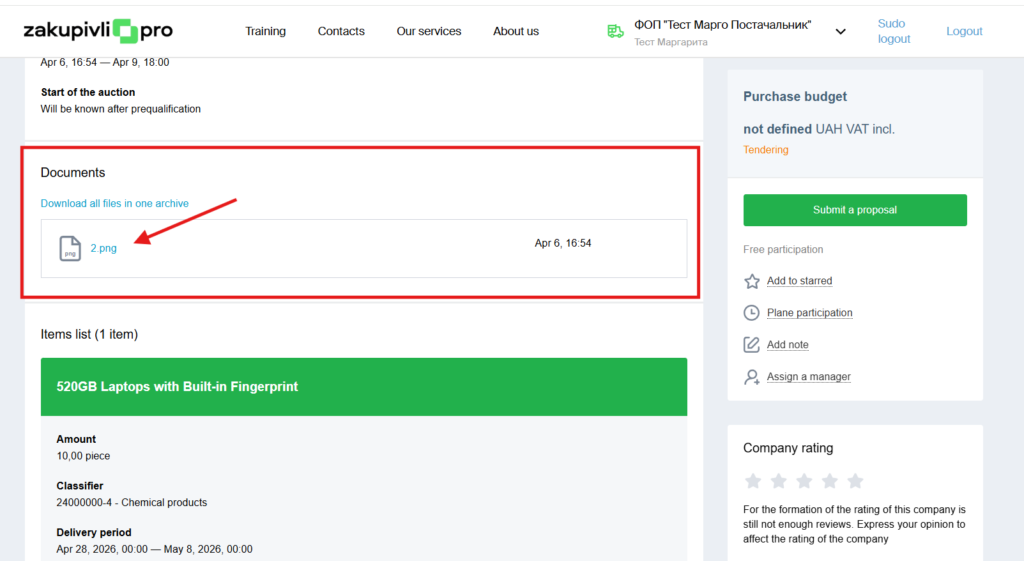
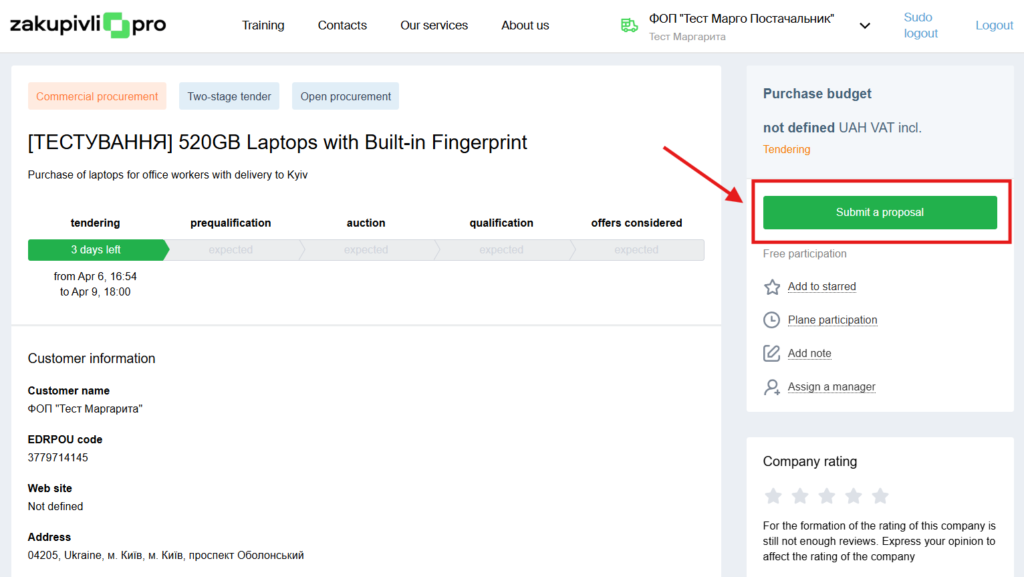
3. To submit your price, click the button “Submit proposal.”
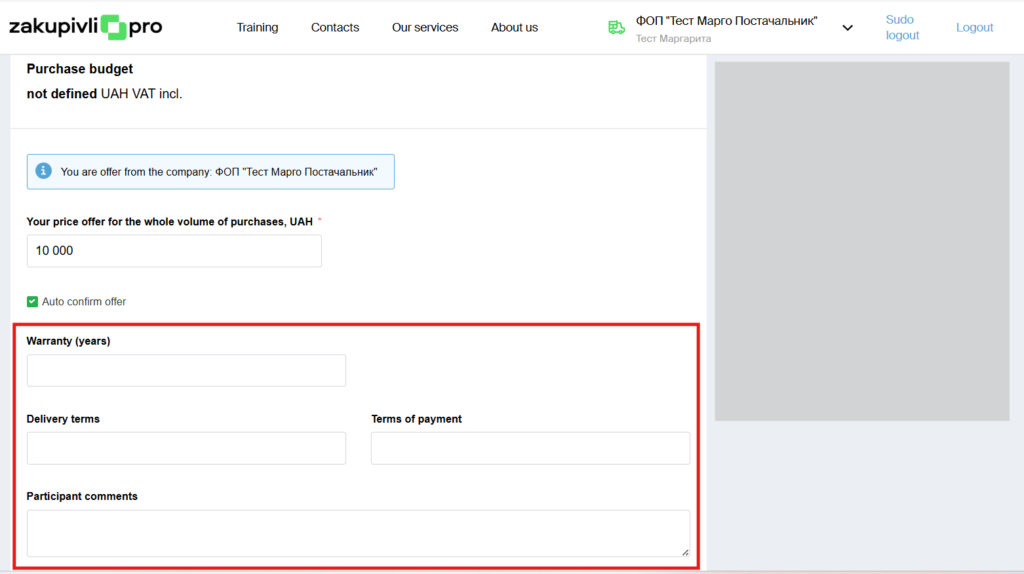
4. Next, enter the price proposal, which must not be higher than the procurement amount.
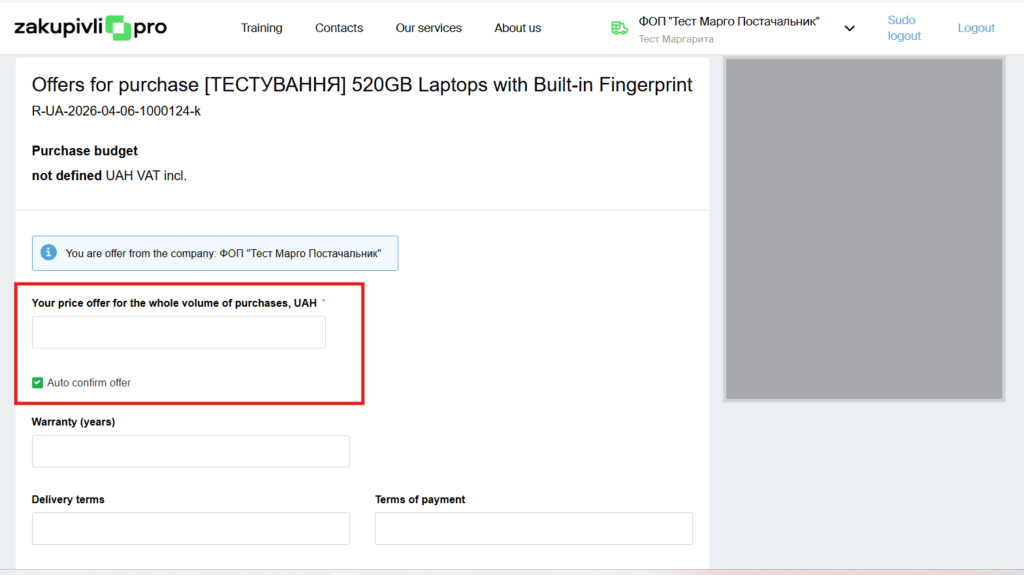
Important: Make sure that the checkmark is next to “Auto confirm offer”
If the customer makes changes to the procurement, your proposal will be automatically confirmed. If the checkmark is removed, your proposal will become inactive in case of changes.
In addition, there are cases when the proposal will not be automatically confirmed, even if the above checkmark is present. These cases are:
- the tender amount is changed to a lower amount, and becomes less than the proposal amount
- due to changes in the tender amount, the participation cost has changed (for tenders with paid participation)
- non-price criteria were added
- the tender currency was changed
- the “with VAT” / “without VAT” sign was changed
- the minimum auction step field became greater than the supplier’s proposal
But don’t worry: in these cases, you will receive an email notification that changes have occurred in the procurement, and you need to confirm the proposal.
5. Optionally, fill in the necessary fields (this is not mandatory).
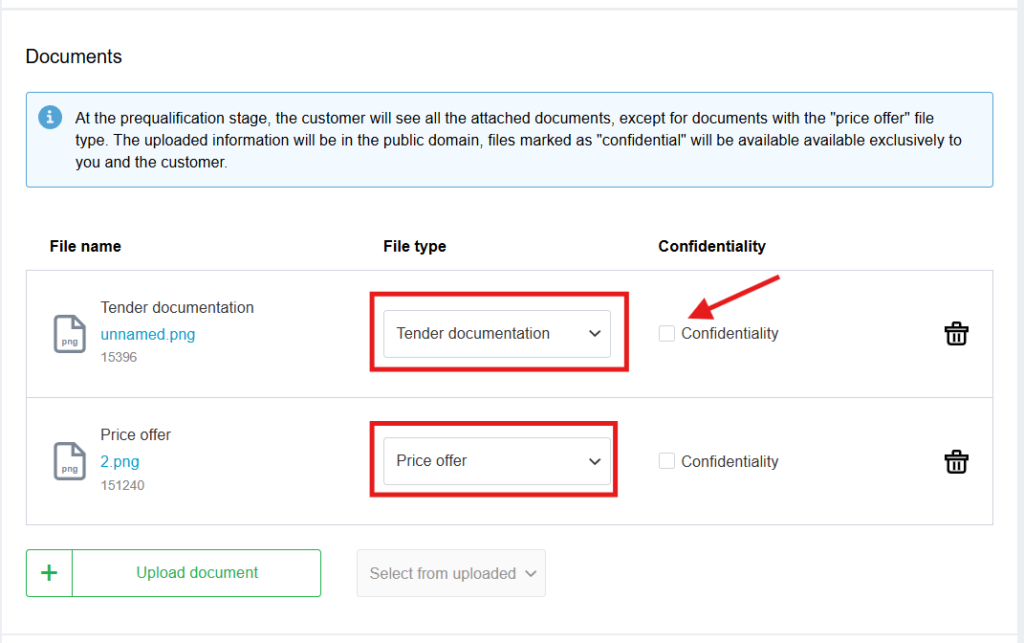
6. Upload the necessary documents
Note. When submitting proposals, participants must indicate which documents are the commercial part of the proposal. Such documents are disclosed to the customer for consideration only after the auction is completed.
The participant can also mark some documents as confidential—this will make them accessible only to the customer.
To mark confidential information, use the “Confidentiality”.
Note that this can only be done in an open procurement. In procurement without publication of results and by invitation, such a checkbox will not be available.
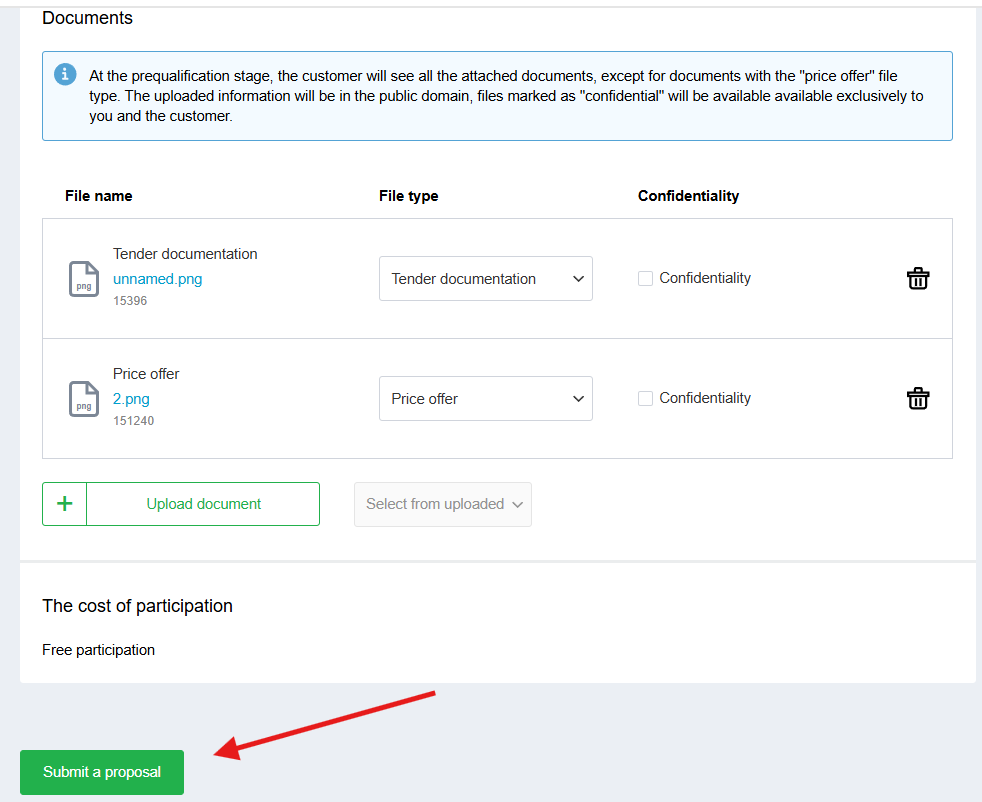
7. Click the button “Submit proposal.”
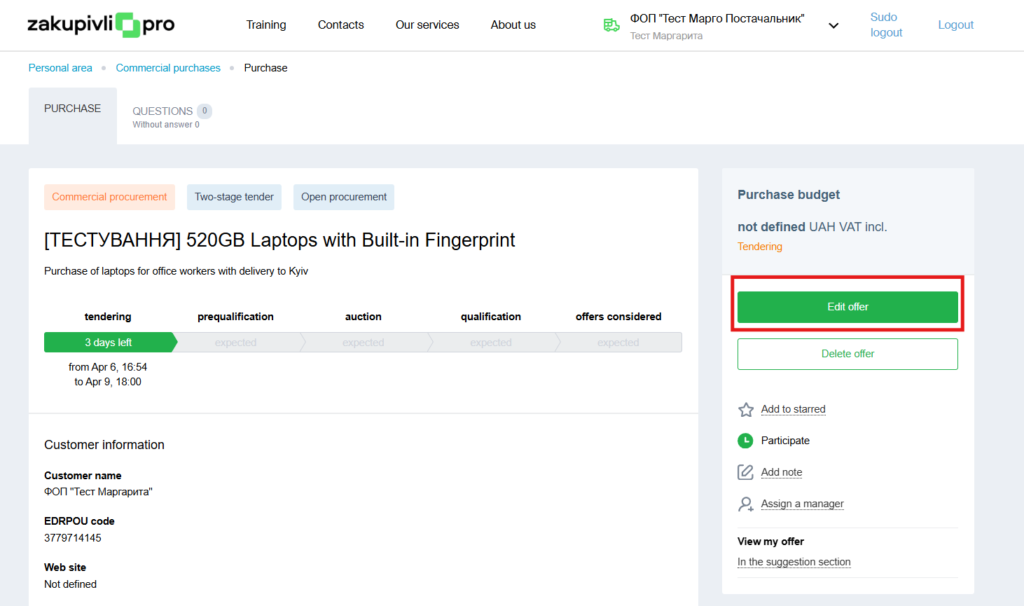
To change the document file type after submitting a proposal, you need to click “Edit offer” and then make the necessary changes.
If at least one proposal is submitted by the end of the proposal submission period, the tender will proceed to the pre-qualification stage.
Pre-qualification Stage
At this stage, only the tender documentation of the suppliers is disclosed to the customer.
The customer evaluates the compliance of the proposals with the qualification and technical requirements and decides whether or not to admit the supplier to the auction.
A participant whose proposal has not yet been decided by the customer has the right to:
- change their initial bid
- upload additional documents
- replace a document (the history will be displayed)
- change the file type
- in open procurements, make public documents confidential and vice versa
- delete the entire proposal.
If the customer admitted the participant to the auction, the status of their proposal will change to “Active.”
If at least one proposal is submitted by the end of the proposal submission period, the tender will proceed to the pre-qualification stage.
If, after pre-qualification, only one participant is admitted to the auction, the procedure will immediately proceed to qualification.
Auction
You can practice on the free Auction Simulator.
In a two-stage tender, the auction is scheduled for the next business day after the completion of the pre-qualification period, with a specific time indicated. The supplier receives an email, and the date and time are also updated in the system.
Qualification and Determination of the Winner
After the auction is completed, the customer reviews the proposals of the participants.
To confirm their decision on selecting the winner or rejecting a proposal, the customer may optionally upload relevant documents confirming their decision to the system.
After selecting the winner, the procurement acquires the status “Proposals reviewed” and the contract signing stage begins. Participants sign the contract outside the system.
There is a possibility that new circumstances may be clarified during the contract signing stage. For example, the supplier refuses the proposal, cannot confirm their ability to fulfill the supply conditions, etc. In this case, the participant can be returned to the qualification stage and another supplier can be selected.
After signing the contract, the customer clicks the button “Complete” and the procurement acquires the status “Completed.” This action is irreversible.
That’s all. We wish you successful participation in procurements on the Zakupivli.Pro platform.


Коментарі (0)