
Дата публікації:
03.02.2026
How to Participate in a Simple Procurement
Before learning how to participate in a simple procurement, let’s look at its features.
First, the period for submitting proposals is set by the customer. However, it cannot be less than 30 minutes.
Second, if only one proposal was submitted for the procurement, it is automatically moved to qualification.
Third, the moment of disclosure of proposals in a simple procurement is considered to be the completion of the auction, but it depends on the access levels to the procurement.
How to Submit a Proposal in a Simple Procurement
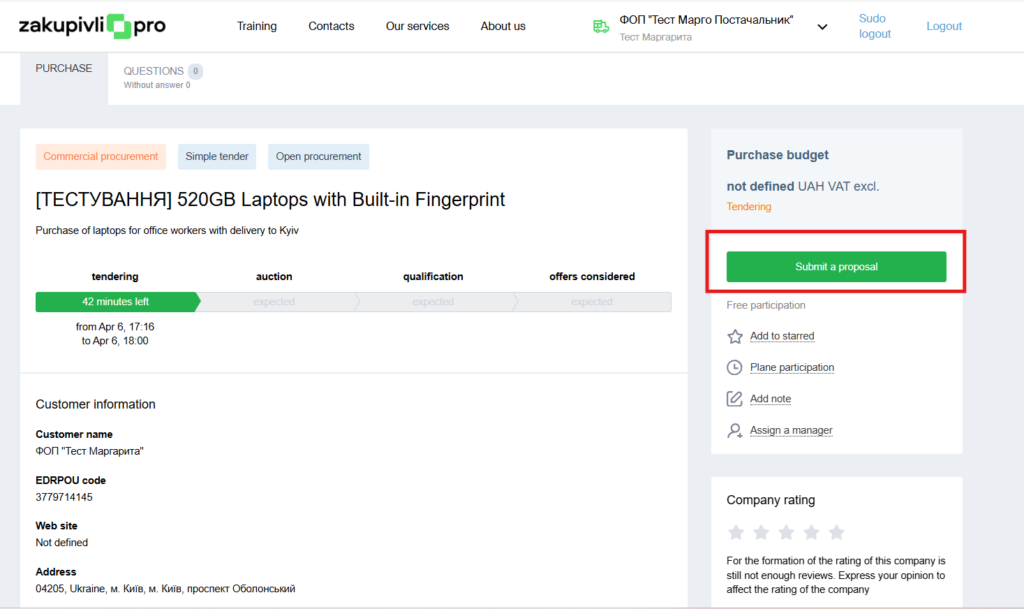
1. First, carefully read the customer’s requirements on the procurement page. They may be contained both in the procurement description and in the attached files.
2. Then click “Submit Proposal”.
3. Enter your price offer for the whole volume of purchases
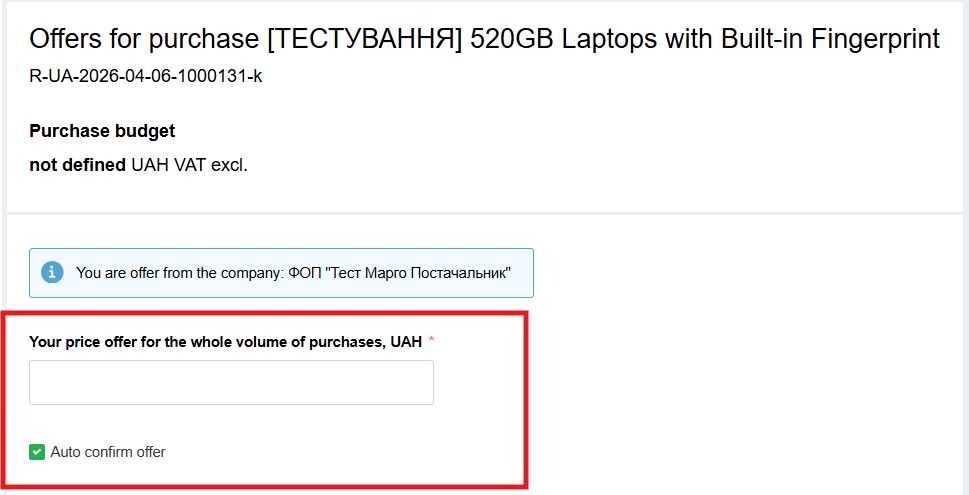
Important: Make sure that the checkmark is next to “Auto confirm offer”
If the customer makes changes to the procurement, your proposal will be automatically confirmed. If the checkmark is removed, your proposal will become inactive in case of changes.
In addition, there are cases when the proposal will not be automatically confirmed, even if the above checkmark is present. These cases are:
- the tender amount is changed to a lower amount, and becomes less than the proposal amount
- due to changes in the tender amount, the participation cost has changed (for tenders with paid participation)
- non-price criteria were added
- the tender currency was changed
- the “with VAT” / “without VAT” sign was changed
- the minimum auction step field became greater than the supplier’s proposal
But don’t worry: in these cases, you will receive an email notification that changes have occurred in the procurement, and you need to confirm the proposal.
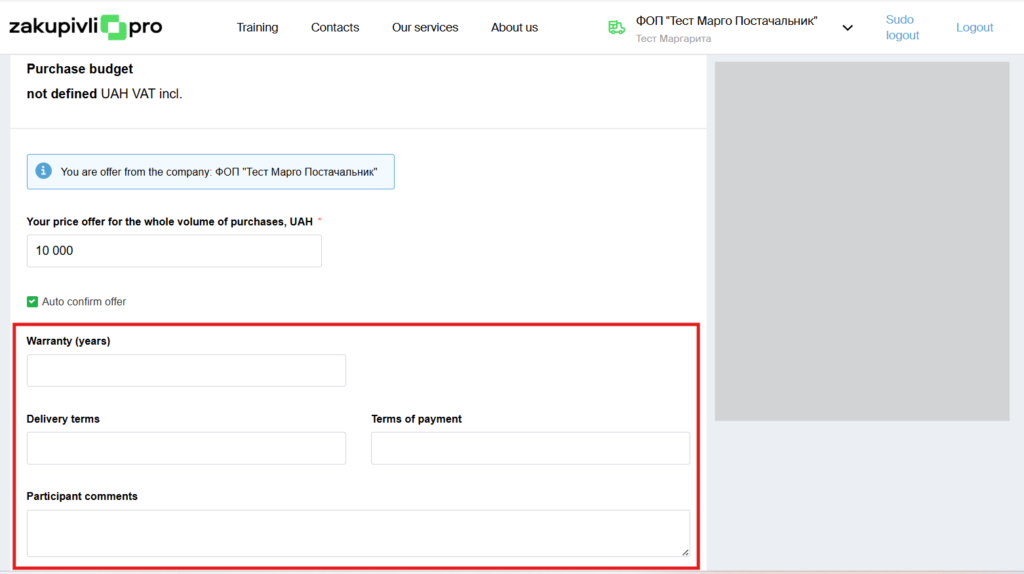
4. Optionally, fill in the necessary fields (this is not mandatory).
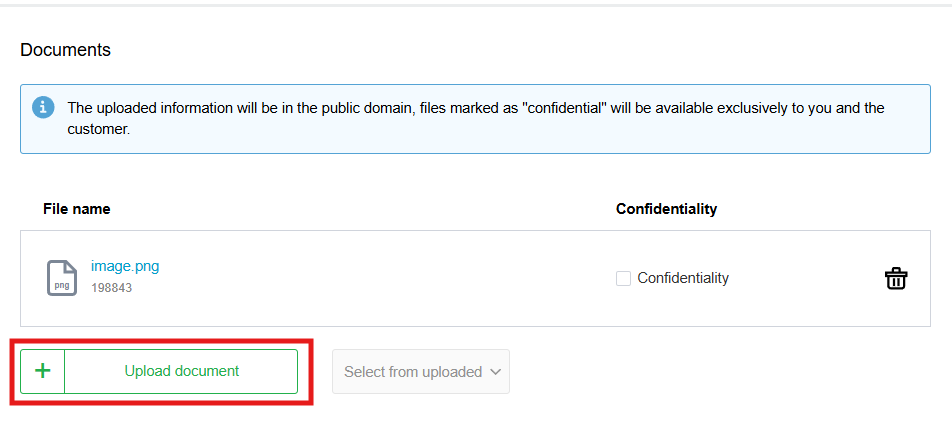
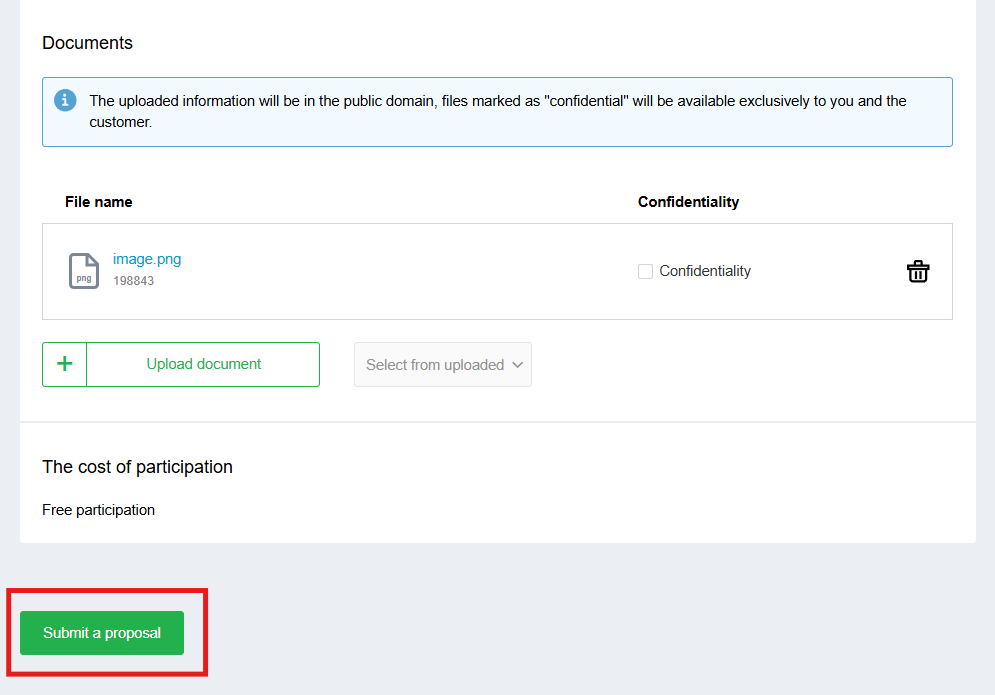
5. Upload documents. Depending on the access level, a confidentiality notice may not be present.
6. Click the “Submit a proposal” button.
If necessary, you can edit or delete the proposal. Note that this can only be done during the proposal submission stage.
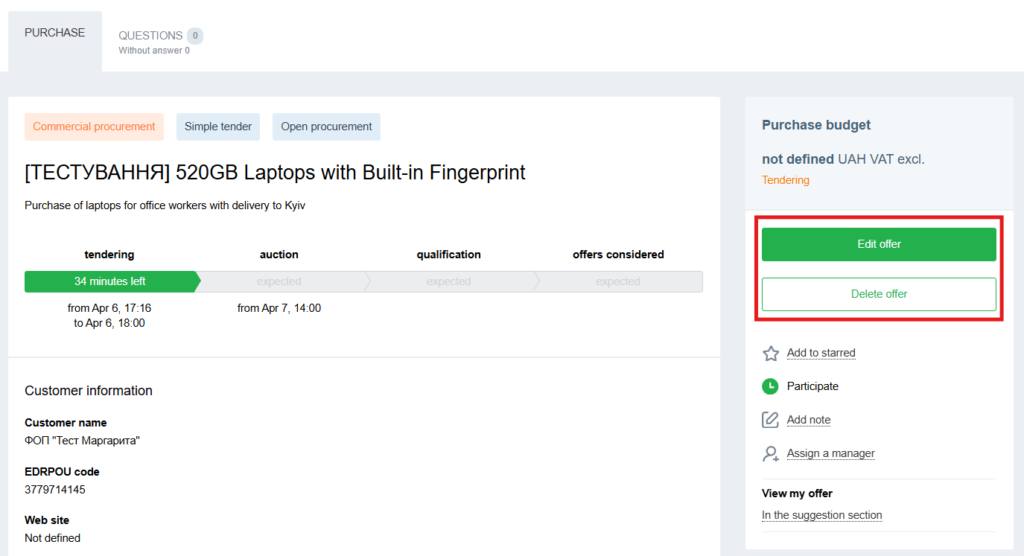
After the completion of the “Proposal Submission” stage, the procurement moves to the Auction.
Auction
If proposal submission ends before 15:30, the auction starts half an hour later.
If proposal submission ends after 15:30, the auction is scheduled for the next working day with a specific time indicated.
Also note: if the system automatically schedules the auction for the next working day after 12:00, and 6 or more participants submit proposals for the procurement, then after the completion of proposal submission, the auction time is rescheduled to the 10:00, 11:00, or 12:00 slots.
In addition, you can practice on the free Auction Simulator.
Qualification and Determination of the Winner
After the auction is completed, the customer reviews the participants’ proposals.
To confirm their decision to select a winner or reject a proposal, the customer may optionally upload supporting documents to the system.
After the winner is selected, the procurement acquires the status “Proposals Reviewed” and the contract signing stage begins. Participants sign the contract outside the system.
There is a possibility that new circumstances may be clarified during the contract signing stage. For example, the supplier withdraws from the proposal, cannot confirm their ability to fulfill the delivery terms, etc. In this case, the participant can be returned to the qualification stage and another supplier can be selected.
After signing the contract, the customer clicks the “Complete” button and the procurement acquires the status “Completed”. This action is irreversible.
That’s all. We wish you successful participation


Коментарі (0)